Use this form to let us know what part(s) you're looking for and we'll get a quote to you ASAP. To get a quote sooner, call us at 800-863-3164 Monday to Friday during normal business hours.
Wintriss ShopFloorConnect® (SFC) is OEE and downtime tracking software from Wintriss Controls Group, LLC. It collects run time, stops, part counts and downtime reasons from your machines and shows them live in a web browser and in scheduled reports. Production Resources, Inc. (PRI) supplies the SFC software together with the Wintriss hardware that links each machine to it, for discrete manufacturers ranging from a single department to several plants.
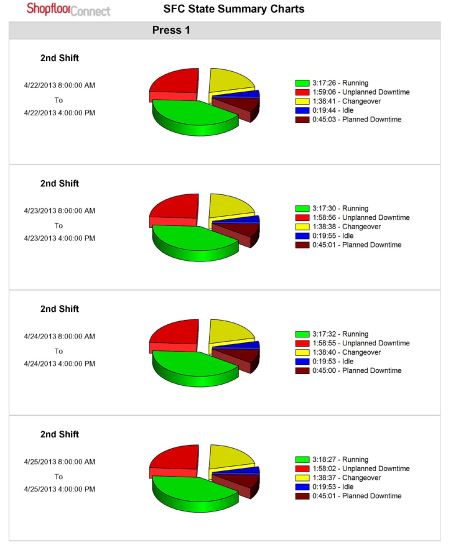
SFC files every minute of machine time as Running, Idle, Changeover, Planned Downtime or Unplanned Downtime, and you choose whether changeover counts against availability.
Forced downtime reasons
When a stop runs past a set time (usually one minute), the machine interface can block restart until the operator picks a reason, and SFC back-fills the idle time.
OEE by Primary
Ideal rates can be assigned per part number, tool or mold on each machine, so performance is judged against the job actually running instead of one machine-wide rating.
Browser-based Factory Viewer
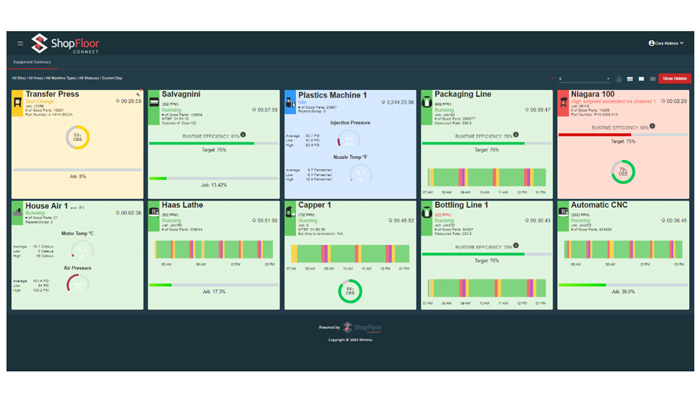
Live machine status and efficiency on any PC, tablet or phone browser. Settings are also managed in the browser, so no client software is installed.
Reports and automatic delivery
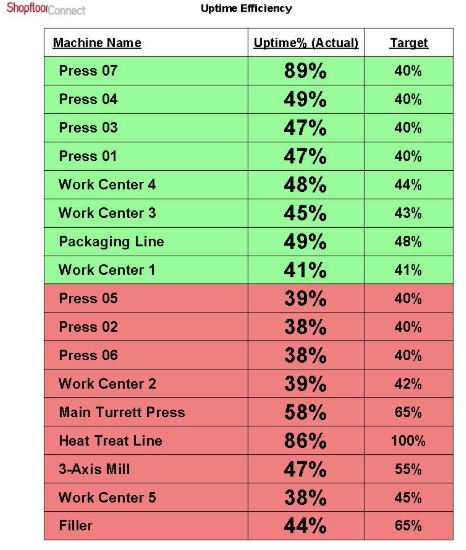
Configurable templates cover downtime, uptime efficiency, production, OEE, operator and state summaries plus a full event log, sent on a schedule as PDF, Excel, Word or CSV files.
Alerts
Text or email messages go to chosen recipients, by shift, when preset conditions occur at a machine.
Job scheduling
Queue jobs per machine in the browser or import them from ERP; operators load the next job at the machine, and SFC predicts completion dates and flags late jobs.
ERP/MES integration
A Microsoft SQL database plus a two-way web-service API receive schedules and report job results back; a CSV-to-API translator handles file-based updates.
Product Line / Models
SFC runs on your own server. Each machine connects through one of these Wintriss devices:
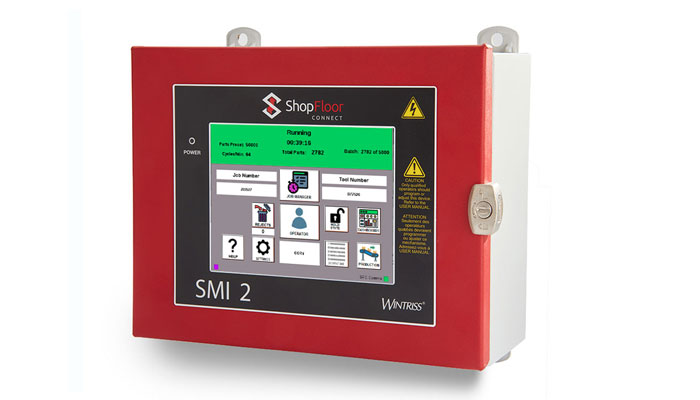
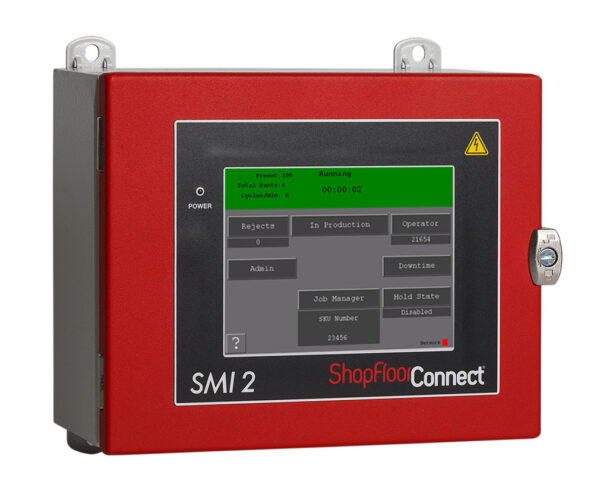
SMI 2 Machine Interface – a 6.5-inch color touchscreen terminal for machines with an operator. Available panel-mount or in a NEMA 12 enclosure, with 32 customizable downtime codes, a 7-digit parts counter with preset, and job/operator entry by keypad or USB barcode scanner.
SFC Tracker – a wireless monitor with four configurable digital or analog inputs. It logs run/idle time, counts and process values such as temperature or pressure with no operator input.
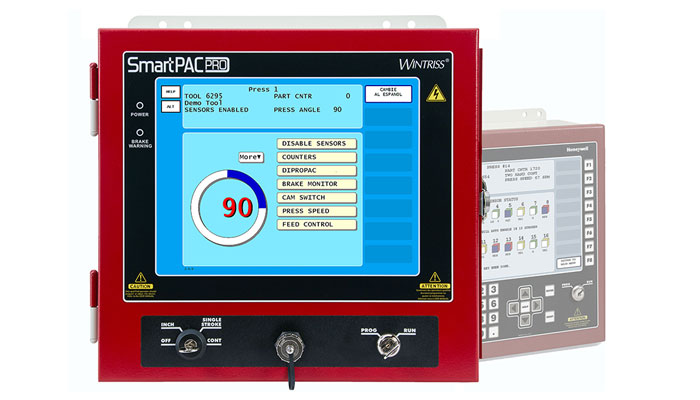
SmartPAC PRO / SmartPAC 2 SFC firmware option – turns a Wintriss press automation control into an SFC data terminal (part no. 9688618 for SmartPAC PRO, 9679618 for SmartPAC 2). Adds tonnage trends and total hits per die.
Wintriss SMI 2 machine interface
Applications & Benefits
Industries served: Wintriss lists metal forming and fabrication, packaging, plastics, food and beverage processing, machining, pharmaceuticals and medical device manufacturing.
Mixed equipment: The SMI 2 needs only a few connections, so legacy and modern machines can report into one system.
Unattended and support equipment: Wintriss Tracker examples include freezer temperature alarms, compressor duty cycle and press brake bend counts.
Multi-plant visibility: SFC is multi-site capable with unlimited users, and installs on-premise so the data stays inside your network.
ShopFloor Connect Uptime Efficiency ChartShopFloorConnect State Charts
Technical Specifications
Selected specifications from Wintriss literature:
Server: Windows Server 2016 (64-bit) or newer, physical or virtual, dedicated to SFC; Microsoft SQL database. SQL Express is usually sufficient up to about 30 machines; SQL Standard is recommended for larger or multi-plant systems.
SMI 2 inputs: Cycle/part count and running/stopped, plus optional scrap, setup-mode and four automatic downtime-reason inputs; PNP or NPN; two USB ports.
SMI 2 output: Dry-contact stop circuit, 30 VDC / 240 VAC, 4 A max, used to hold the machine until a reason is entered or to stop it at the count preset.
SFC Tracker: 2.5 W at 24 VDC; digital inputs for counts and run/idle; analog voltage (up to ±10 V) or current (4–20 mA and others) inputs for user-supplied sensors.
How to Choose the Right ShopFloorConnect Setup
Machine count and plants – drives server sizing and SQL edition.
Existing controls – SmartPAC-equipped presses use the firmware option; other machines use an SMI 2 or Tracker.
Operator input – SMI 2 where operators enter reasons and jobs; Tracker for hands-off collection.
Available signals – cycle, run and scrap signals, or analog process values.
Business systems – ERP/MES scheduling through the API or CSV files.
IT environment – Windows server and network coverage to each machine.
Why Wintriss ShopFloorConnect Is Trusted
Wintriss developed CPR, the first shop floor data collection software for metal stamping, in 1985 and launched ShopFloorConnect in 2011.
SmartPAC press controls connect with a firmware option and provide the same operator functions as an SMI 2.
Data stays in a standard Microsoft SQL database on your network, open to SQL, ODBC and the API.
Contact & Ordering
Need help picking the right model or getting a quote? Provide these details:
Number and types of machines to monitor (presses, CNC, molding, etc.) and number of plants
Controls on each machine (SmartPAC PRO, SmartPAC 2, PLC or relay logic)
Whether operators will enter downtime reasons, jobs and part numbers
ERP/MES system you want to connect
Server and network setup (physical or virtual server, wired or wireless)
Contact PRI to discuss specs, lead times, and installation support.