Use this form to let us know what part(s) you're looking for and we'll get a quote to you ASAP. To get a quote sooner, call us at 800-863-3164 Monday to Friday during normal business hours.
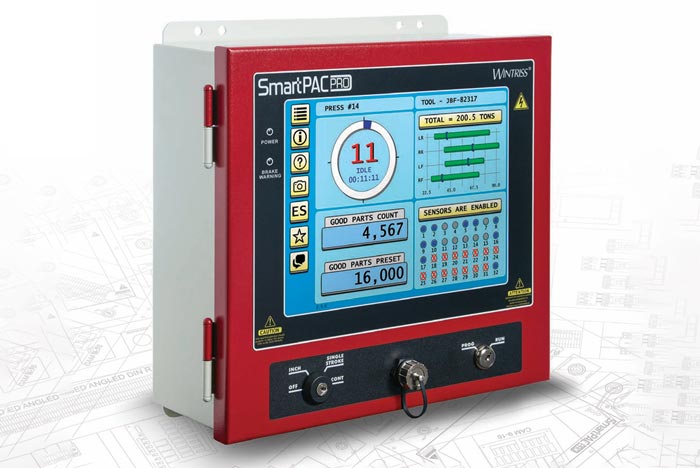
The Wintriss SmartPAC PRO is a press automation controller that puts die protection, programmable cams, tonnage monitoring and setup automation on one color touchscreen at the press. It is the third generation of the Wintriss SmartPAC, built by Wintriss Controls Group, LLC in versions for mechanical, hydraulic and servo presses. Production Resources, Inc. (PRI) supplies new SmartPAC PRO systems, add-on modules and upgrades from earlier SmartPAC controls, along with installation support.
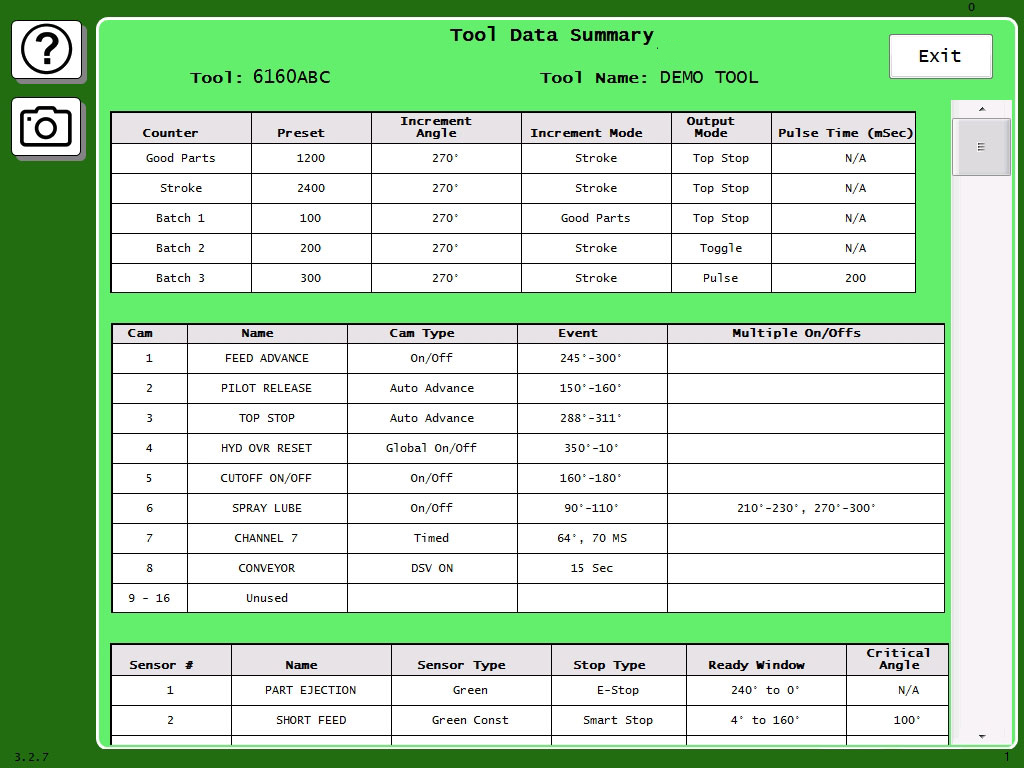
Stores an unlimited number of tool setups, shares them with other networked SmartPAC PROs, and shows each setup on a single Tool Summary screen that holds job notes and exports to USB as a CSV file.
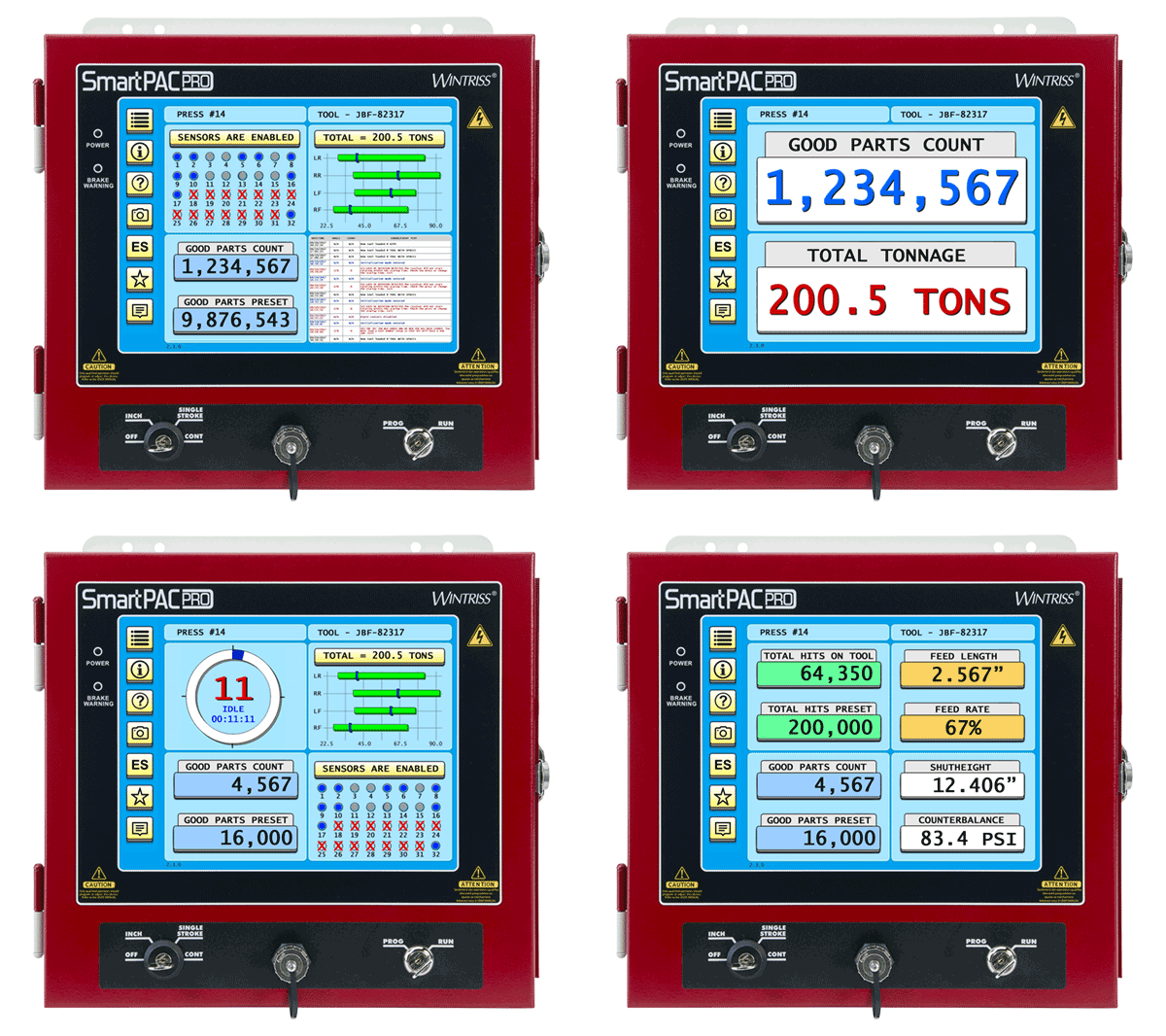
Custom dashboards
Home screens built around the data each user checks most, saved as favorites.
Front-panel USB and Options Manager
Back up tool memory, capture screens, connect a barcode scanner and load firmware without swapping chips; new options unlock with an activation code.
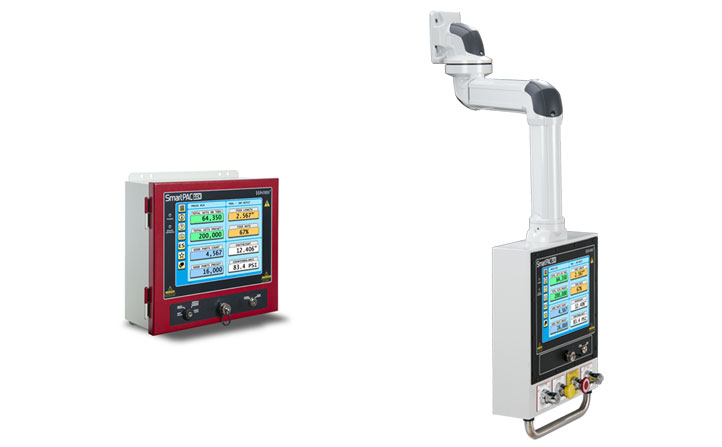
Flexible mounting
The touchscreen can mount apart from the controller and I/O, joined by one USB cable; a pendant arm or pendant-style enclosure is optional.
Built-in brake monitor
Measures press stopping performance in milliseconds and degrees of crank rotation, supporting safe light curtain application.
Connectivity
Dual Ethernet ports link to servo feeds, lube systems and PLCs, and a PLC interface shares press parameters and MODBUS tags; the Wonderware® option runs third-party HMIs on the SmartPAC PRO screen.
SmartView PRO and remote tools
View job status, counts, tonnage and the event log from any browser on your network, send sticky-note messages to the operator, or operate the control from a desktop PC or tablet (Remote Access option).
Info Center option
Displays video, setup sheets, PDFs, drawings and photos right at the press.
Wintriss SmartPAC PRO
Product Line / Models
SmartPAC PRO is offered in three press-specific versions:
SmartPAC PRO – for mechanical presses, working with the Wintriss resolver; the easiest upgrade from SmartPAC 2 since the housing grows just 1 in. in width and height, the existing resolver, PAC modules, DSI, cam output and SFI wiring are reused, and tool setups carry over.
SmartPAC PRO Hydraulic – tracks ram position with a magnetostrictive linear position sensor while keeping the familiar 0–360° die protection and cam screens.
SmartPAC PRO Servo – adds up to ten programmable motion stages with self-learned limits, stage-by-stage masking of cams and sensors, and five resolution curves down to 0.001 in. of travel.
Modules and options that plug into any version:
DiProPAC – die protection with 8, 16 or 32 sensor inputs, used with the DSI 2 interface box
ProCamPAC – programmable limit switch with 8 or 16 outputs, including speed-compensated, gagging, diverter and global cams
AutoSetPAC – 2- or 4-channel peak tonnage monitor with high, low, repeatability and reverse setpoints stored per tool
WaveFormPAC – tonnage signature monitor with benchmark waveforms for each die
ProPAC – analog in-die part measurement that can divert out-of-tolerance parts
RamPAC – sets shut height, counterbalance and die cushion pressure automatically at each die change
SFI Servofeed Interface – stores and downloads feed length and acceleration for each tool
PM Monitor – schedules as many as 64 maintenance items by strokes, time, die changes and more
WPC Apex integration – access Wintriss WPC Apex clutch/brake control functions, initialization and micro-inch settings from the SmartPAC PRO screen, expandable through the Option 2 module for extra inputs and press functions

 Wintriss SmartPAC brake monitor capabilities (PDF)