

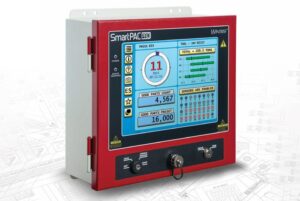
A press automation control puts die protection, programmable cams, tonnage monitoring and setup automation on one screen at the press, and recalls every setting by tool number. Production Resources, Inc. (PRI) supplies and installs Wintriss SmartPAC PRO and builds custom consoles around it.
Shop Press ControlsRequest a QuoteCall (800) 863-3164What It Does · Modules · Features · Upgrading · Controls PRI Offers · Choosing · FAQs
What a Press Automation Control Does
Each job on a press has its own sensor timing, cam settings, tonnage limits, shut height, counterbalance pressure and feed length. A press automation control stores all of it under the tool number and sets the press up when the die changes, then watches every stroke while the job runs.
Wintriss SmartPAC PRO is the third generation of the SmartPAC, and it replaces the SmartPAC 2. It comes in three versions: for mechanical presses; SmartPAC PRO Hydraulic, which uses a magnetostrictive linear position sensor to follow the ram; and SmartPAC PRO Servo, which sets upper and lower limits for up to ten stages of motion and can mask sensors and cams by stage.
SmartPAC PRO Modules & Options
SmartPAC PRO Features
Confirmed on Wintriss's SmartPAC PRO pages:
- Large color touchscreen with user-configured dashboards
- Searchable Tool Manager with unlimited tool programs
- Tool Summary Screen with job notes, exportable to USB as CSV
- Front-panel USB port for backups, screenshots, bar code scanners and keyboards
- Options Manager: add options by activation code
- Firmware upgrades through USB, no chips to change
- Screen can mount apart from the controller, joined by one USB cable
- Optional pendant enclosure and pendant arm
- Built-in backup and restore of setup memory
- Remote access from a desktop PC
- Built-in stopping time (brake) monitor, in milliseconds and degrees
- Time-stamped error/event log and input diagnostics
- On-screen help on every screen
- Run-mode menus in English, Spanish, German or Portuguese
- Counters: strokes, parts, batch presets and total hits on a tool
- Dual Ethernet ports for servo feeds, lube systems and PLCs
The brake monitor's stopping angle is especially useful for setting the critical angle for die protection. Want more? See PRI's SmartPAC user tips.
Upgrading From SmartPAC 2 or SmartPAC 1
SmartPAC PRO keeps compatibility with earlier SmartPAC modules (DiProPAC, AutoSetPAC, ProCamPAC and others), and existing tool number setups transfer to the new control. That makes an upgrade mostly a control swap, not a re-setup of every die. Contact your PRI Application Engineer to scope an upgrade.
Press Controls PRI Offers
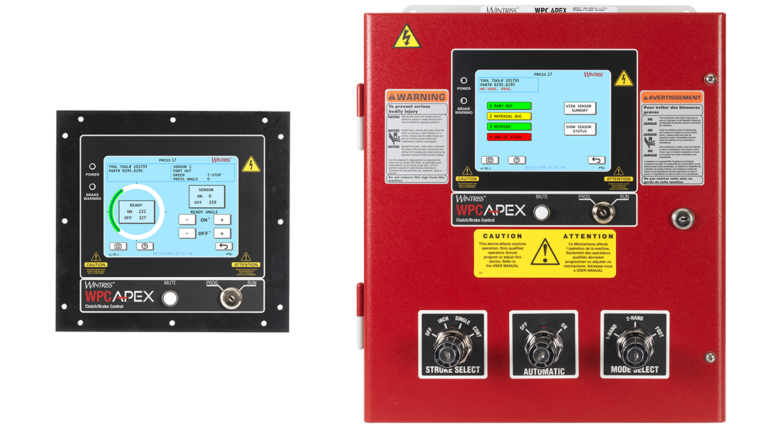
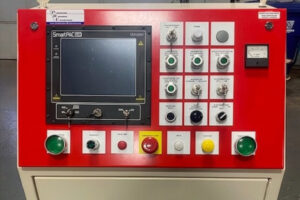
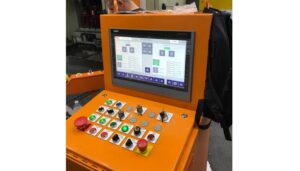
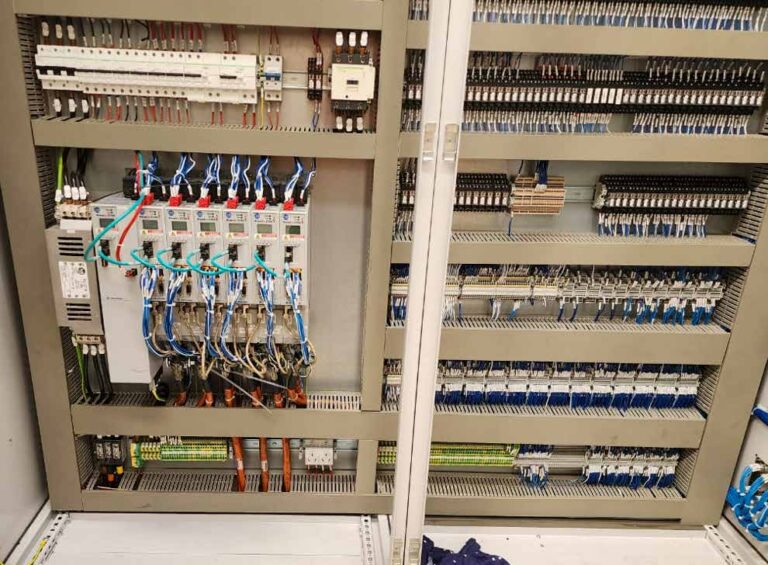
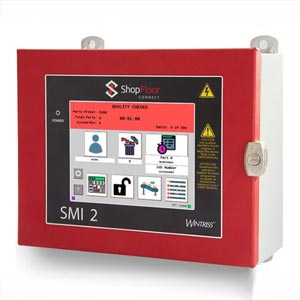
Wintriss's current clutch/brake control is the WPC Apex. PRI still supports installed Wintriss clutch/brake controls where it can. For operator safeguarding, see safety light curtains and press & machinery safeguarding.
How to Choose a Press Automation Control
- 1Match the pressMechanical, hydraulic or servo decides the SmartPAC PRO version, and how the control reads ram position.
- 2Pick the modulesDie protection is the start. Add cams for feed, lube and part handling timing, tonnage monitoring, and RamPAC if shut height and counterbalance are motorized.
- 3Look at the clutch/brake controlIf it is old or doesn't meet current standards, plan a WPC Apex or a PLC-based control at the same time.
- 4Connect the feedName the servo feed brand so the SFI can download feed settings by tool.
- 5Decide how it mountsIn the existing cabinet, on a pendant arm, or in a PRI custom console with everything in one workstation.
- 6Plan the networkSmartView PRO, messaging and ShopFloorConnect need the press on your network.
Photos of the control cabinet help a lot:
- Press make, model, tonnage and type
- Current control and clutch/brake control
- Motorized shut height, counterbalance and die cushion?
- Servo feed make and model
- Number of die protection sensors and cam outputs
- Tonnage monitor in place, or needed
- Mounting: existing cabinet, pendant or new console
- Network access at the press
Brands PRI Offers


Help From PRI
PRI Application Engineers help you match the control and sensors to your presses and dies, then support installation and startup, train your setup techs, and help with parts and repair on the Wintriss equipment you run. Where the job includes press safety, PRI also offers OSHA/ANSI safety surveys and stop-time measurement. See PRI services. PRI handles turnkey installations and retrofits, so the control is wired, set up and running on your press.
Downloads
Frequently Asked Questions
What is SmartPAC PRO?
Wintriss's press automation control. It puts die protection, programmable cams, tonnage monitoring and setup automation on one touchscreen at the press, in versions for mechanical, hydraulic and servo presses.
Can I upgrade from SmartPAC 2 to SmartPAC PRO?
Yes. SmartPAC PRO is compatible with earlier SmartPAC modules, and existing tool number setups can be transferred. Contact your PRI Application Engineer for a quote.
How many die protection sensors can SmartPAC PRO monitor?
With the DiProPAC module, 8, 16 or 32 sensors.
What does RamPAC do?
It sets shut height, counterbalance and die cushion pressures automatically at each die change, from the settings stored with the tool.
Is SmartPAC PRO a clutch/brake control?
No. SmartPAC PRO automates and protects the press; the clutch/brake control runs it safely. Wintriss's clutch/brake control is the WPC Apex, and PRI can put both in one custom console.
Related Guides
Die Protection & Press Automation · Die Protection Systems · Tonnage Monitors · OEE & Production Monitoring · Quick Die Change · Coil Handling & Feeding
Send us the press, the current control and what you want to automate. PRI will configure the control and quote it, installed.
Shop Press ControlsRequest a QuoteCall (800) 863-3164