

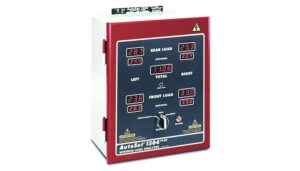
A tonnage monitor measures the load on the press frame every stroke and stops the press when the load is too high, too low or changes too much. It is like an insurance policy for the press. Production Resources, Inc. (PRI) supplies and installs Wintriss tonnage monitors.
Shop Tonnage MonitorsRequest a QuoteCall (800) 863-3164What It Does · Setpoints · The Options · Choosing · What We Need · FAQs
What Is a Tonnage Monitoring System?
While die protection sensors mainly protect the die, a tonnage monitor helps protect the press itself and prevent major damage. Strain links mounted on the press frame measure the load on each side or corner every stroke. The monitor compares it with the setpoints for that job and signals the press to stop when a limit is exceeded.
OSHA 1910.217(f)(4) requires presses to be operated within the tonnage ratings the manufacturer specifies. A tonnage monitor helps you meet that every stroke.
Setpoints and Limits
Wintriss monitors calculate setpoints automatically from the actual load of the job, not from the press capacity, so limits are tight enough to matter without manual math.
Tonnage Monitors PRI Offers
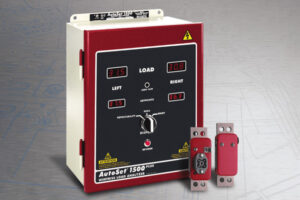
Learn more: Tonnage Monitors 101: A Basic Guide for Stamping Press Load Monitoring from Wintriss Controls Group, LLC.
How to Choose a Tonnage Monitor
- 1Two channels or fourTwo channels read left and right. Four read every corner, which matters for large bolsters, progressive dies and off-center work.
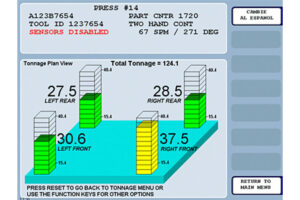
- 2Standalone or in SmartPAC PROA standalone AutoSet suits a press without SmartPAC PRO. On a SmartPAC PRO, AutoSetPAC puts tonnage on the same screen and recalls limits by tool.
- 3Blanking and piercing?Snap-through can hurt the press. Choose a Plus model or AutoSetPAC to watch reverse load.
- 4Peak or waveformPeak monitoring catches overloads. WaveFormPAC also catches problems inside the stroke and checks loads against the press's off-bottom rating.
- 5Plan installation and calibrationStrain links are mounted on the frame and the system is calibrated on the press. PRI coordinates installation, and Linear offers field installation and calibration for presses up to 4,000 tons.
- 6Use the dataLog tonnage in ShopFloorConnect to see trends by press and die. See OEE & production monitoring.
Send what you have:
- Press make, model and rated tonnage
- Press type and frame (gap frame or straight side)
- Operations run (blanking, piercing, forming, drawing)
- Existing monitor or strain links, if any
- Current press control (SmartPAC PRO or other)
- Strokes per minute
- Photos of the press frame
- Whether data should go to ShopFloorConnect
Brands PRI Offers


Help From PRI
PRI Application Engineers help you match the control and sensors to your presses and dies, then support installation and startup, train your setup techs, and help with parts and repair on the Wintriss equipment you run. Where the job includes press safety, PRI also offers OSHA/ANSI safety surveys and stop-time measurement. See PRI services.
Tonnage Monitor Downloads
Frequently Asked Questions
What is a tonnage monitor?
A monitor that reads strain links on the press frame to measure the load every stroke, displays it, and stops the press when a setpoint is exceeded. It protects the press much the way die protection protects the die.
How are tonnage setpoints set?
Wintriss monitors calculate them automatically from the actual load of the job, not from the press capacity.
What is reverse or snap-through load?
The load that hits the press in the opposite direction when a blanking or piercing punch breaks through the material. Too much reverse load can damage the press. AutoSet Plus models and AutoSetPAC display it.
Do I need two or four channels?
Two channels read the two sides of the press. Four read each corner, which shows off-center loading on large bolsters and progressive dies.
Can SmartPAC PRO monitor tonnage?
Yes. The AutoSetPAC module adds 2- or 4-channel tonnage monitoring, and WaveFormPAC adds waveform signature monitoring.
Related Guides
Die Protection & Press Automation · Press Automation Controls · Die Protection Systems · OEE & Production Monitoring · Quick Die Change
Send us the press make, tonnage and the work it runs. PRI will recommend the monitor and quote it, installed and calibrated.
Shop Tonnage MonitorsRequest a QuoteCall (800) 863-3164